Linux FreeRADIUS 設定指南
Linux FreeRADIUS 設定指南的重點整理。
Cisco With FreeRADIUS
模擬器非常難模擬,問題一堆
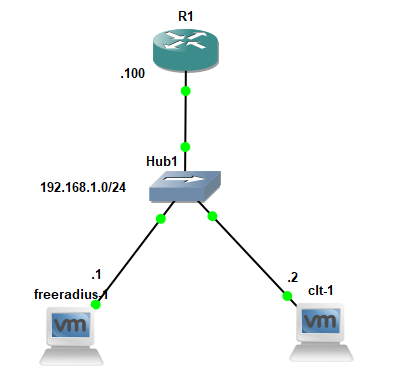
-
freeRADUIS
-
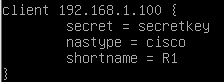
設定client 也就是 router
client 設備的ipaddr {
	secret = 連線AAA時的密碼
	nastype = 認證的type
	shortname = 設備的名稱
}
-
設定可以登入的使用者
cisco Cleartext-Password := "cisco"  //用戶cisco,密碼cisco
Service-Type = NAS-Prompt-User,
Cisco-AVPair = "shell:priv-lvl=15"  //用戶端權限為15
-
-
cisco設定
conf t
aaa new-model
aaa group server radius AAA
 server-private 192.168.1.1 auth-port 1812 acct-port 1813 key secretkey
aaa authentication login default group AAA
aaa authorization exec default group AAA
aaa accounting exec default start-stop group AAA
aaa accounting system default start-stop group AAA
line vty 0 4
	transport input telnet ssh
	login authentication default